CAS - Validate Unique ID
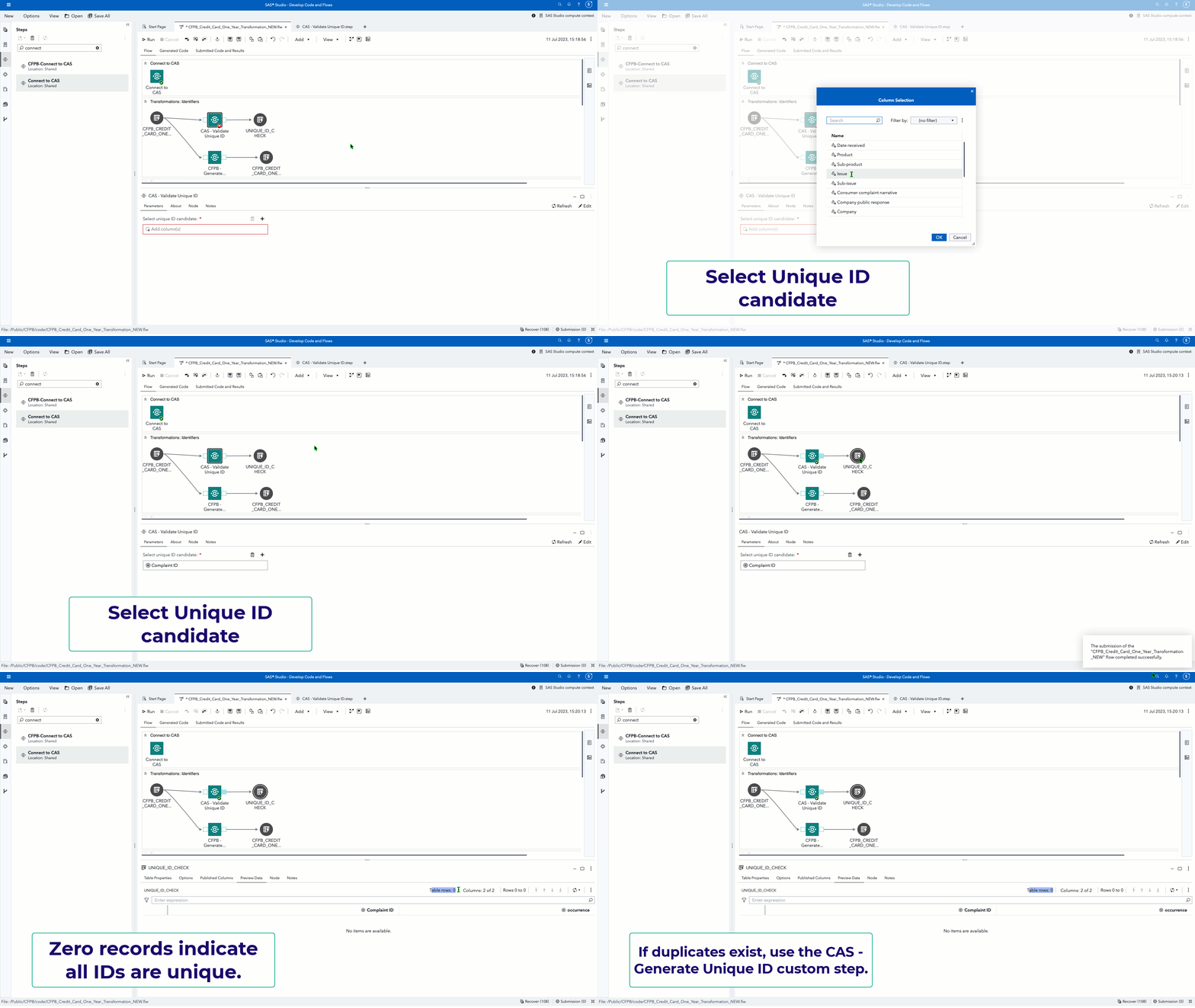
This custom step validates if a specified unique ID candidate column for a SAS Cloud Analytics Services (CAS) table is indeed unique.
You may like to use this in tandem with the CAS - Generate Unique ID custom step. For example, if this step indicates that a candidate ID is not unique, make use of CAS - Generate Unique ID to generate a new identifier.
This custom step makes use of the CAS action (textmanagement.validateIds).
Here's a general idea of how this custom step works (the below is an animated GIF)
SAS Viya Version Support
Tested in Viya 4, Stable 2023.06
Requirements
-
A SAS Viya 4 environment (monthly release 2023.06 or later) with SAS Studio Flows.
-
At runtime: an active connection to CAS: This custom step requires Cloud Analytics Services(CAS). Ensure you have an active CAS connection available prior to running the same.
User Interface
Parameters
Note that this action requires an active CAS connection to run successfully. Ensure you are connected to CAS before running this step.
-
Input port: connect an input CAS table to the input port.
-
Select a desired column from the input table for validation as a candidate unique ID.
-
Output port: connect an output table (which needs to be a CAS table) to the output port. This is called the validation table and will contain information on any duplicate occurrences of the candidate input ID.
Documentation
Installation & Usage
- Refer to the steps listed here.
Change Log
Version : 1.0. (11JUL2023)